🔑
Owner Login & Authentication
getting-started3 min read
How to log in via phone OTP or email at yourhotel.tripjolly.com/owner_login. Covers session management and multi-device access.
1
Go to hotel owner login url
first go to you hotel's owner login url
eg.: "https://{your_hotel_subdomain}.tripjolly.com/owner_login"

2
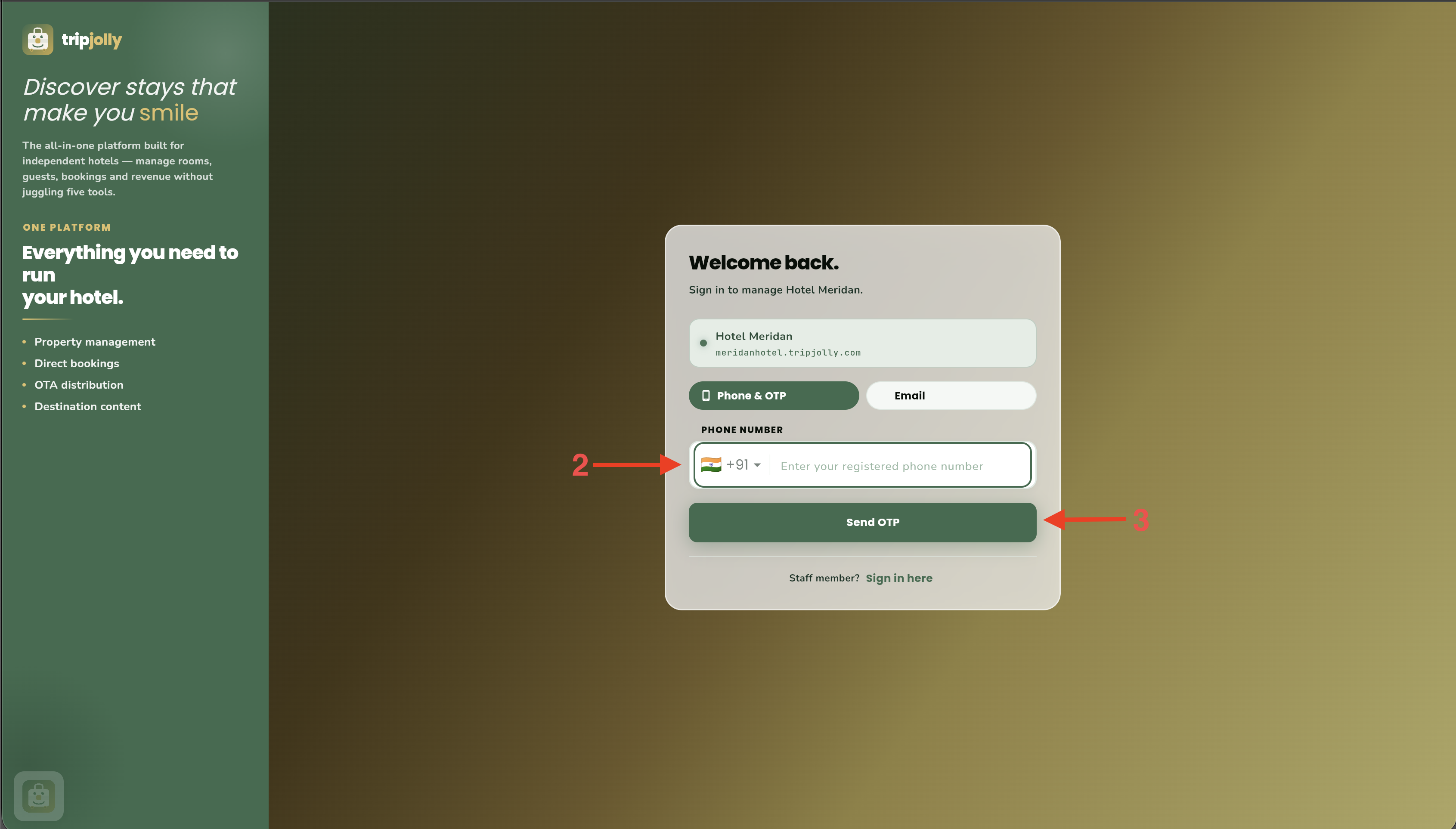
Enter Login Credentials
Enter Registered Phone Number or Email and Password to proceed
3
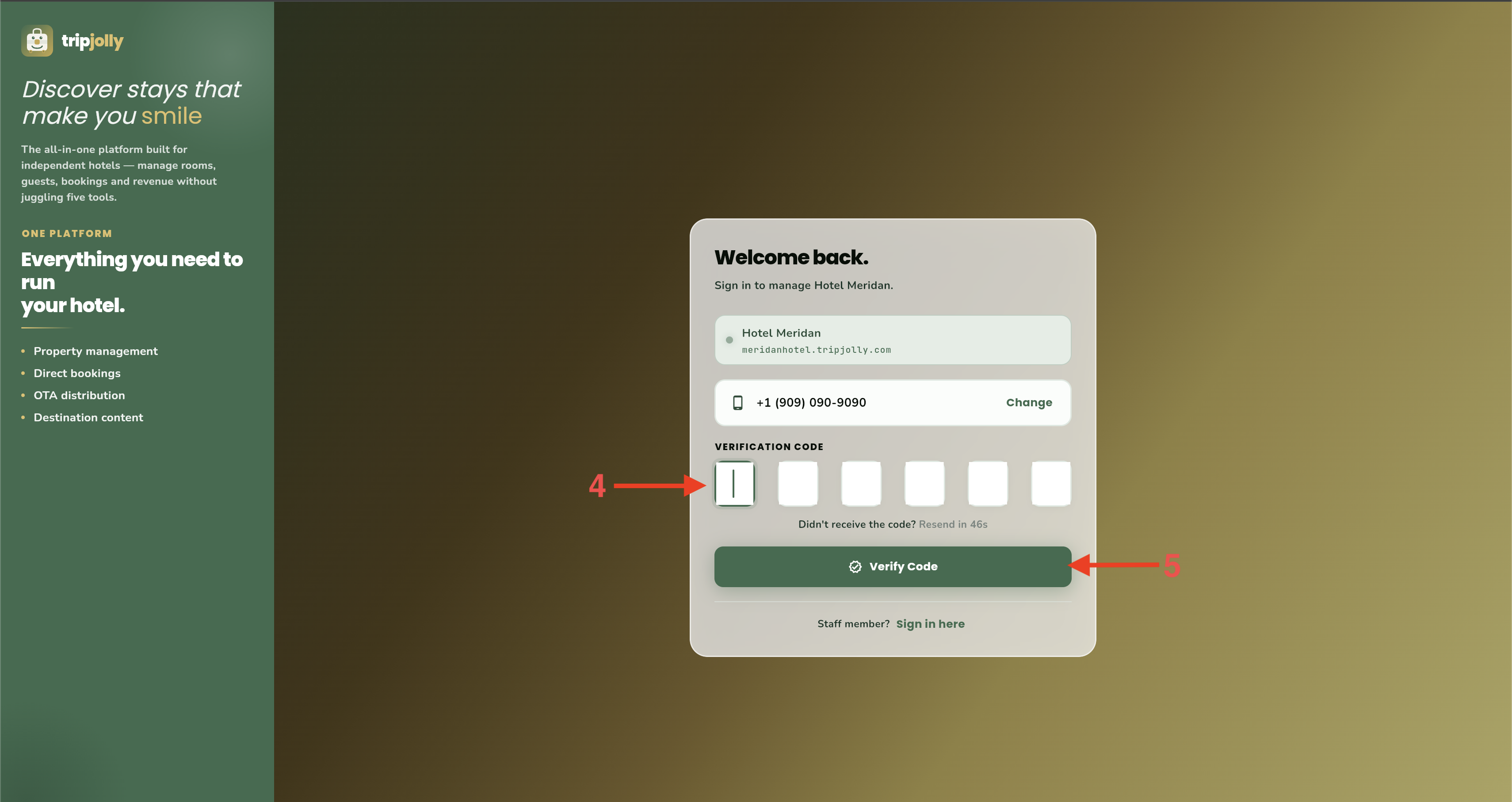
Only if using mobile number
If using registered mobile number to login then otp needs to be entered for proceeding
4
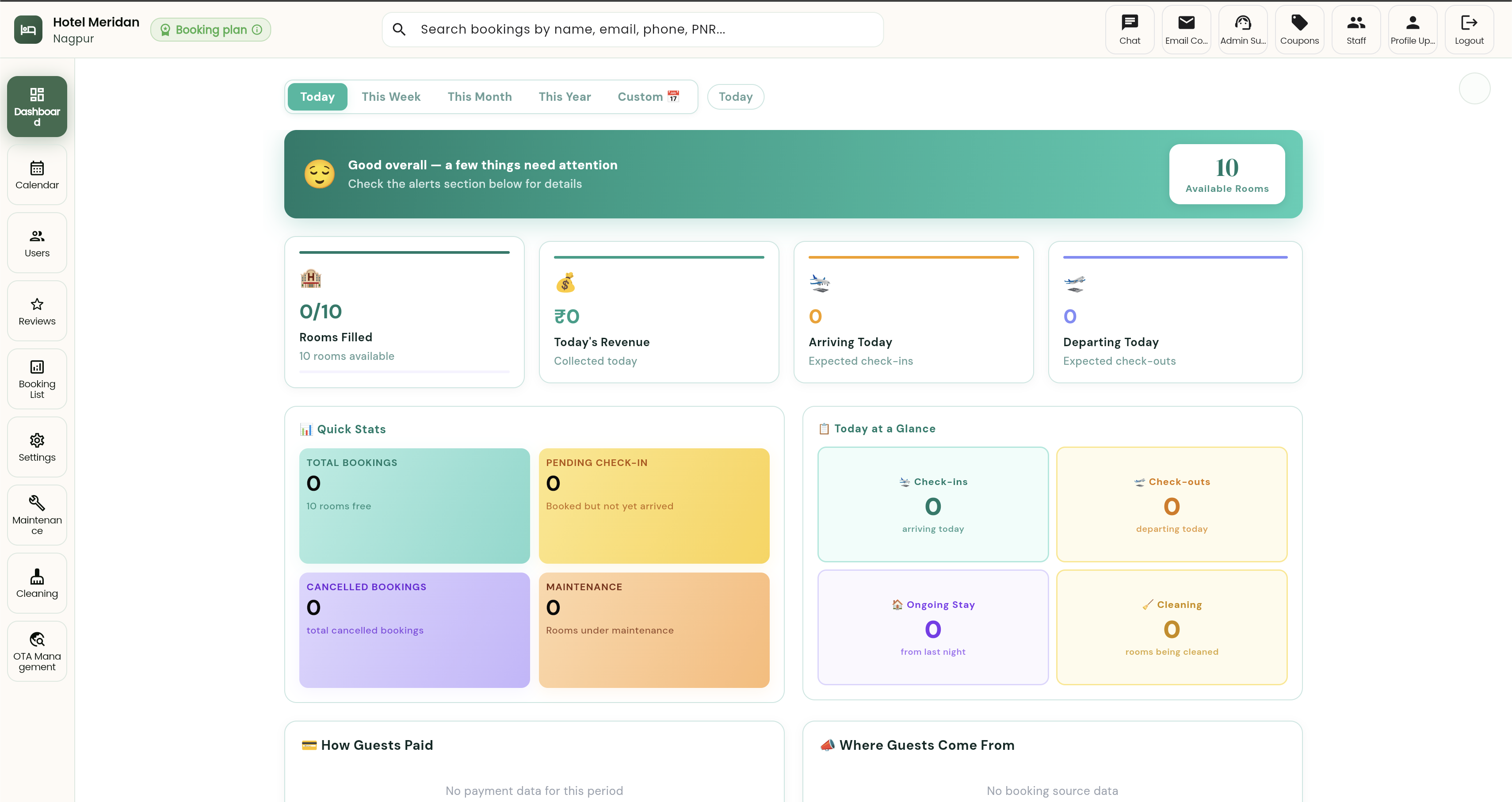
Finally Logged In
So after successful login you will see your hotel's dashboard
Common Questions
Need more help?
Our support team is here to help you get the most out of Tripjolly PMS.
Contact Support